
Connection Settings
Fill in the form and click Save & Connect. For remote servers use SSH tunneling; Google Cloud SQL instances can connect through the Cloud SQL Auth Proxy.
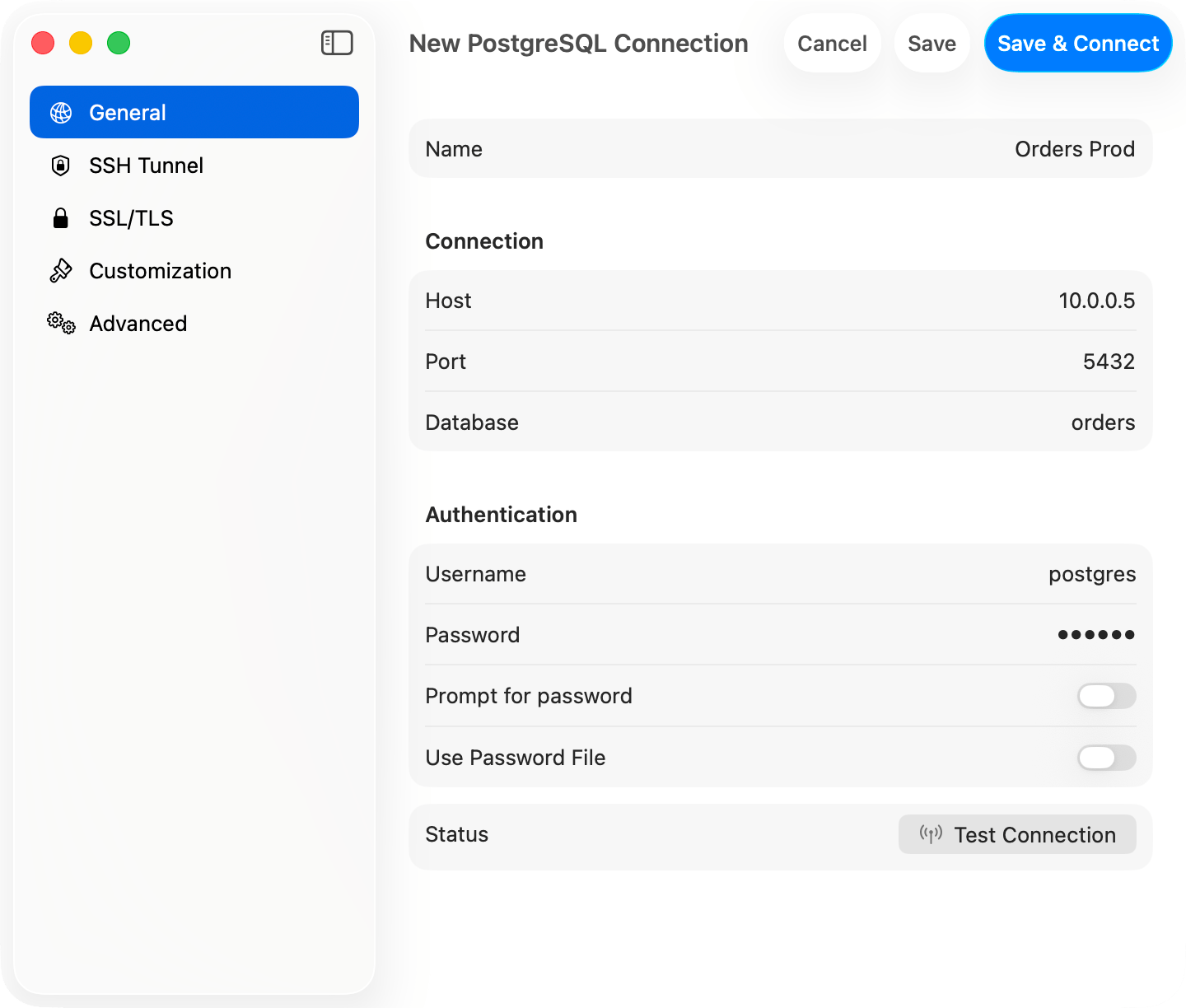
PostgreSQL connection form
Connection URL
postgres:// also works. Opening a URL connects directly. See Connection URL Reference.
AWS IAM Authentication
Connect to RDS or Aurora with your AWS identity instead of a static password: set Authentication to an AWS IAM option and set Username to a database role grantedrds_iam. See AWS IAM Authentication for setup, credential sources, and troubleshooting.
Features
Schemas: The sidebar shows all accessible schemas and tables. Cmd+K switches databases; pick the active schema from the schema menu at the bottom of the sidebar. Table info shows columns, indexes, constraints, and DDL. Types:jsonb renders as formatted JSON. array, uuid, inet, timestamp with time zone, interval, and bytea display natively.
EXPLAIN: EXPLAIN and EXPLAIN ANALYZE run with FORMAT JSON and render as a plan diagram or tree. See EXPLAIN Visualization.
PostGIS: geometry and geography columns render as EWKT with the SRID preserved (SRID=4326;POINT(-73 40.7237)) instead of the raw EWKB hex libpq returns. TablePro detects spatial columns from a one-time pg_type lookup at connect time and converts fetched values with ST_AsEWKT(...). Your query is never re-run, so parameterized and multi-statement queries render EWKT too. If conversion fails, the raw hex is kept without an error.
Users & Roles: Manage database users, roles, and privileges under View > Users & Roles: see where each privilege comes from, then grant or revoke it. See Users & Roles.
Backup & Restore: Backup Dump and Restore Dump run pg_dump and pg_restore. Among TablePro’s databases this is available for PostgreSQL and Redshift only. See Backup & Restore.
Advanced
~/.pgpass: formathostname:port:database:username:password, wildcards (*) allowed. libpq silently ignores the file unless its permissions are 0600.
Startup Commands (Advanced tab): SQL that runs on every connect, e.g. SET timezone = 'UTC'; SET search_path TO myschema, public;.
Pre-Connect Script (Advanced tab): a shell script that runs before connecting, e.g. to refresh credentials from a secrets manager. 10-second timeout.
SSL/TLS
New connections default to Preferred (libpqsslmode=prefer), which tries TLS first and falls back to plain. Pick Verify CA to validate the server certificate. See SSL/TLS.
Troubleshooting
Connection refused: check the server is running,listen_addresses in postgresql.conf allows remote connections, and the firewall allows port 5432.
Auth failed: check pg_hba.conf for the auth method (scram-sha-256 or md5 for passwords, trust for local dev).
Postgres-compatible engines: connect wire-compatible engines using the PostgreSQL type. TablePro probes which system catalogs the server provides, so engines that omit catalogs like pg_matviews still load their tables; object kinds the server does not expose just won’t appear.